Traverse reads what Apple Health records about you and uses the last thirty days as your personal baseline. Each morning it describes what changed — calibrated to the conditions you've declared.
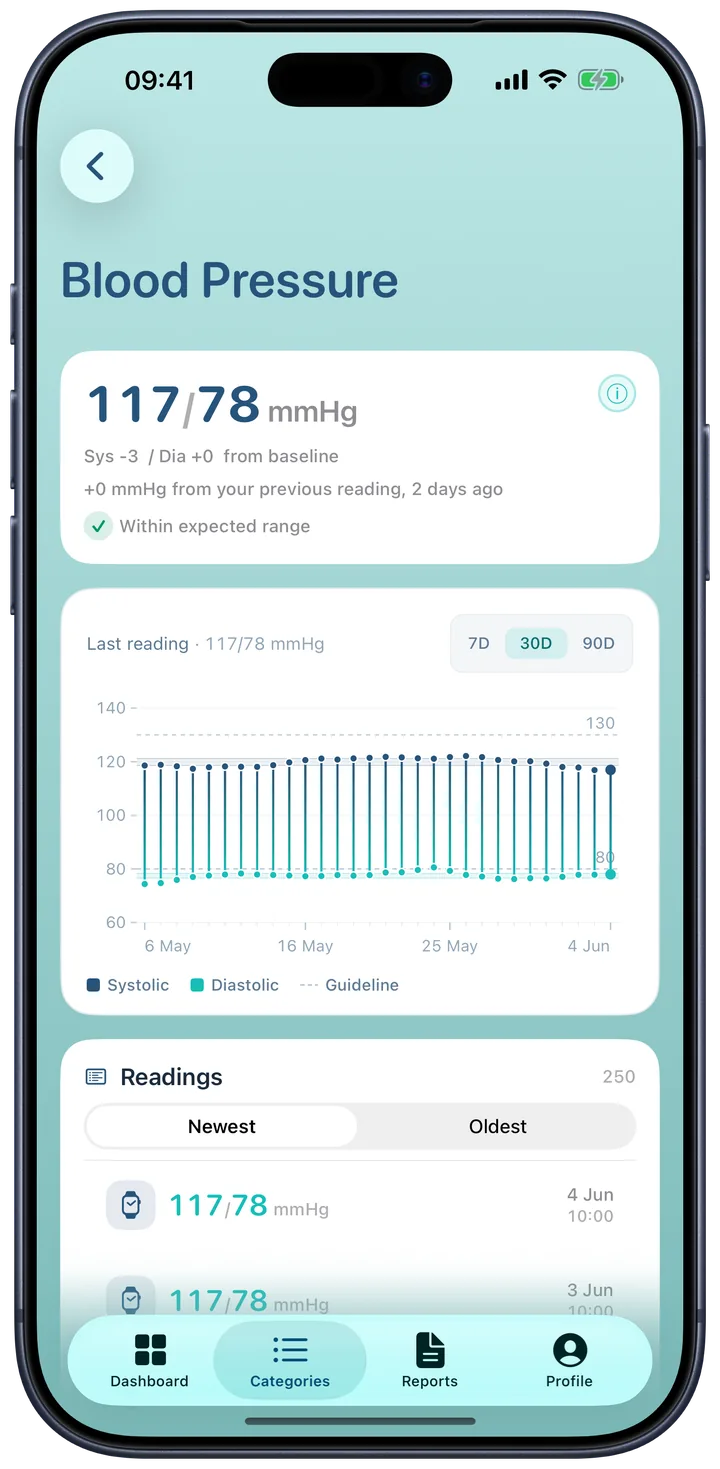
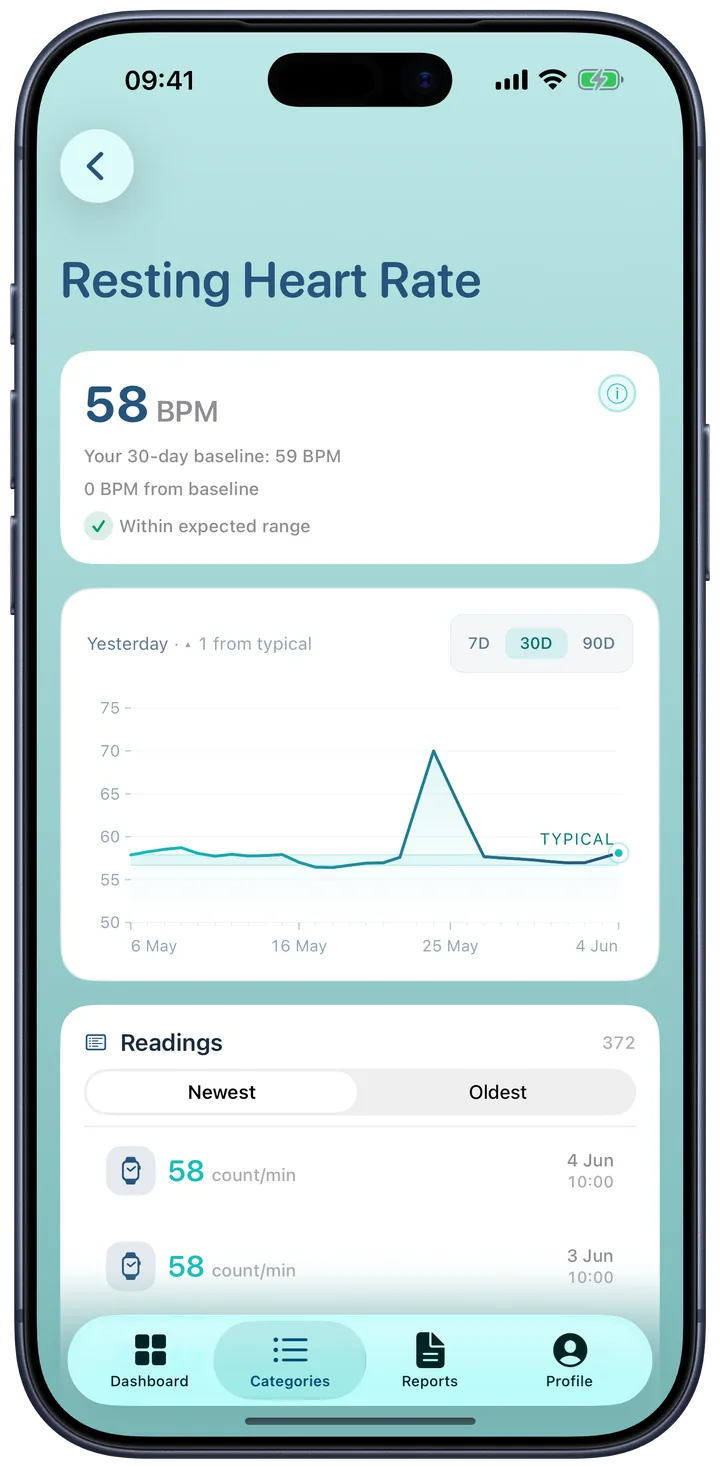
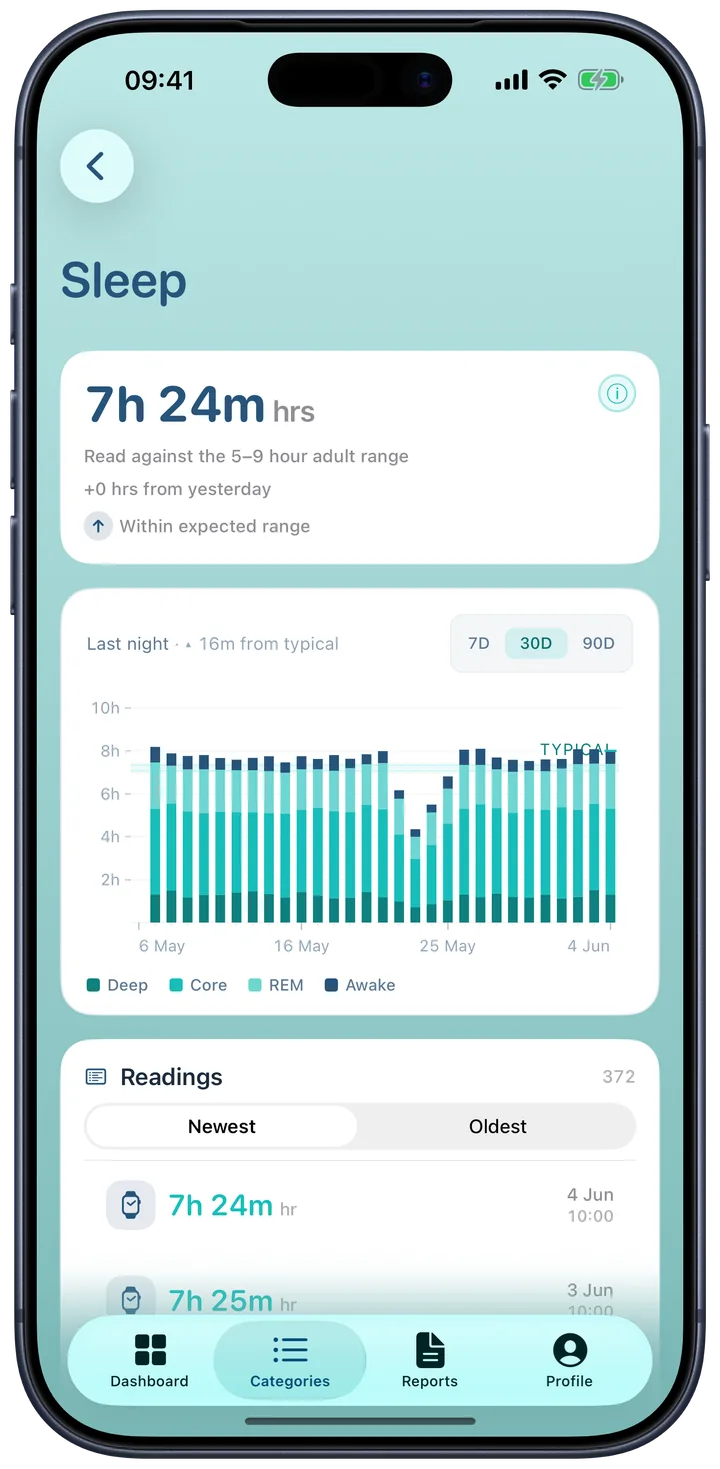
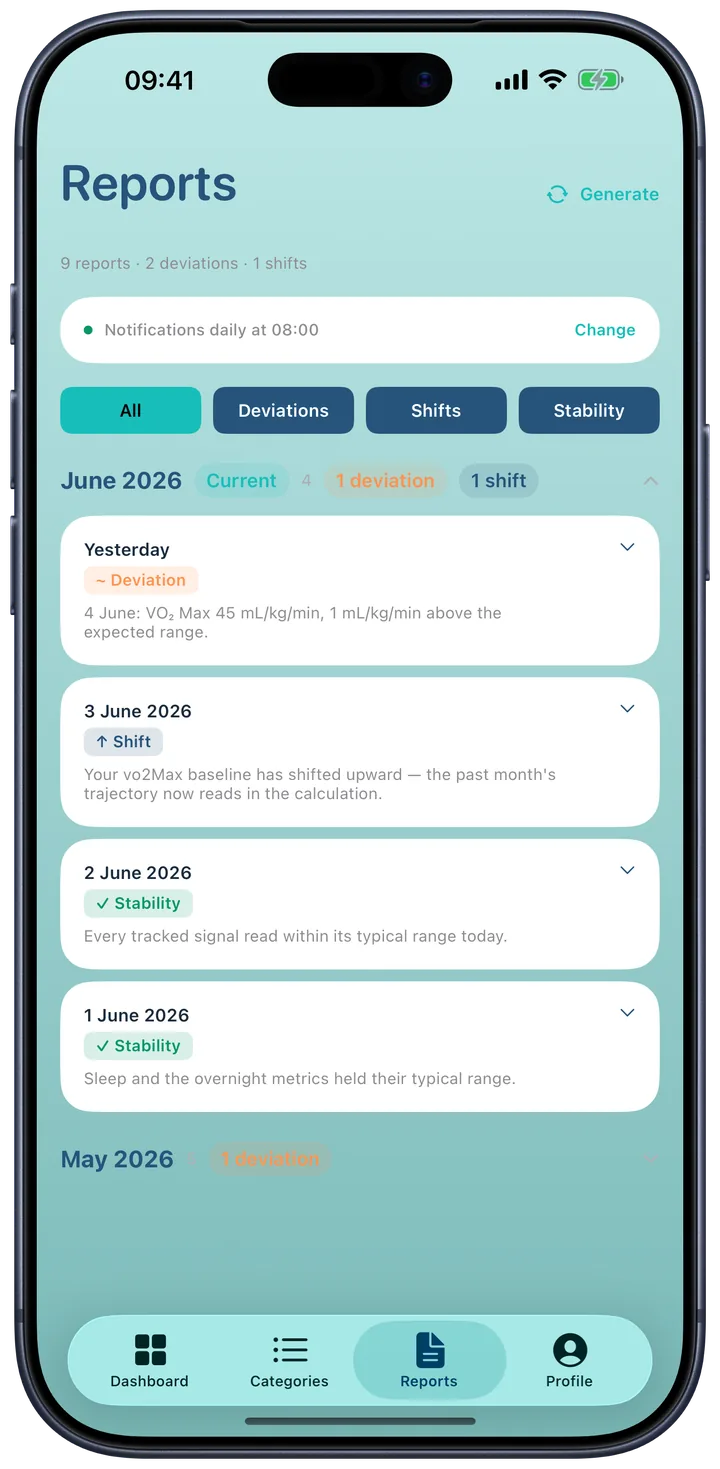
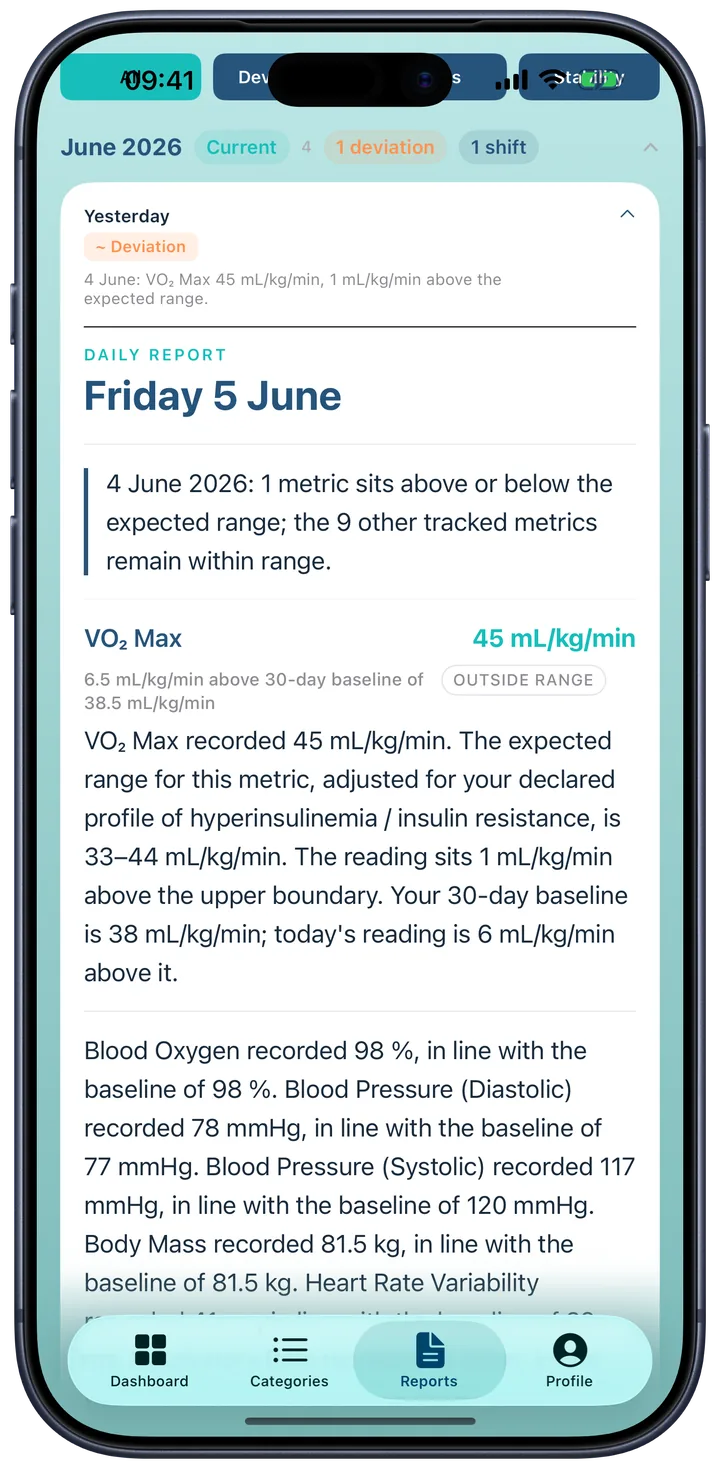
Traverse uses the last thirty days of your readings as a personal baseline. Once a metric has fourteen recordings in that window, every new reading is compared against your own baseline rather than a population average.
No clinical jargon. No risk scores. Each morning Traverse describes what changed in your readings relative to your baseline. It does not evaluate your readings as good or bad.
Your raw HealthKit data stays on your device. Traverse is built for one user at a time. No leaderboard, no feed, no community.
A population average doesn't fit you if you live with a condition that shifts it. Declare yours at onboarding and Traverse adjusts the reference ranges it reads your data against — using thresholds from published clinical research, not a one-size-fits-all norm.
Reference ranges are grounded in clinical sources — GOLD, GINA, the American Thyroid Association, the European Society of Cardiology, NICE, and the WHO — applied to the labs and regimen you enter: thyroid panel, full iron studies, LVEF, NT-proBNP, INR, peak flow, CPAP hours, and more.
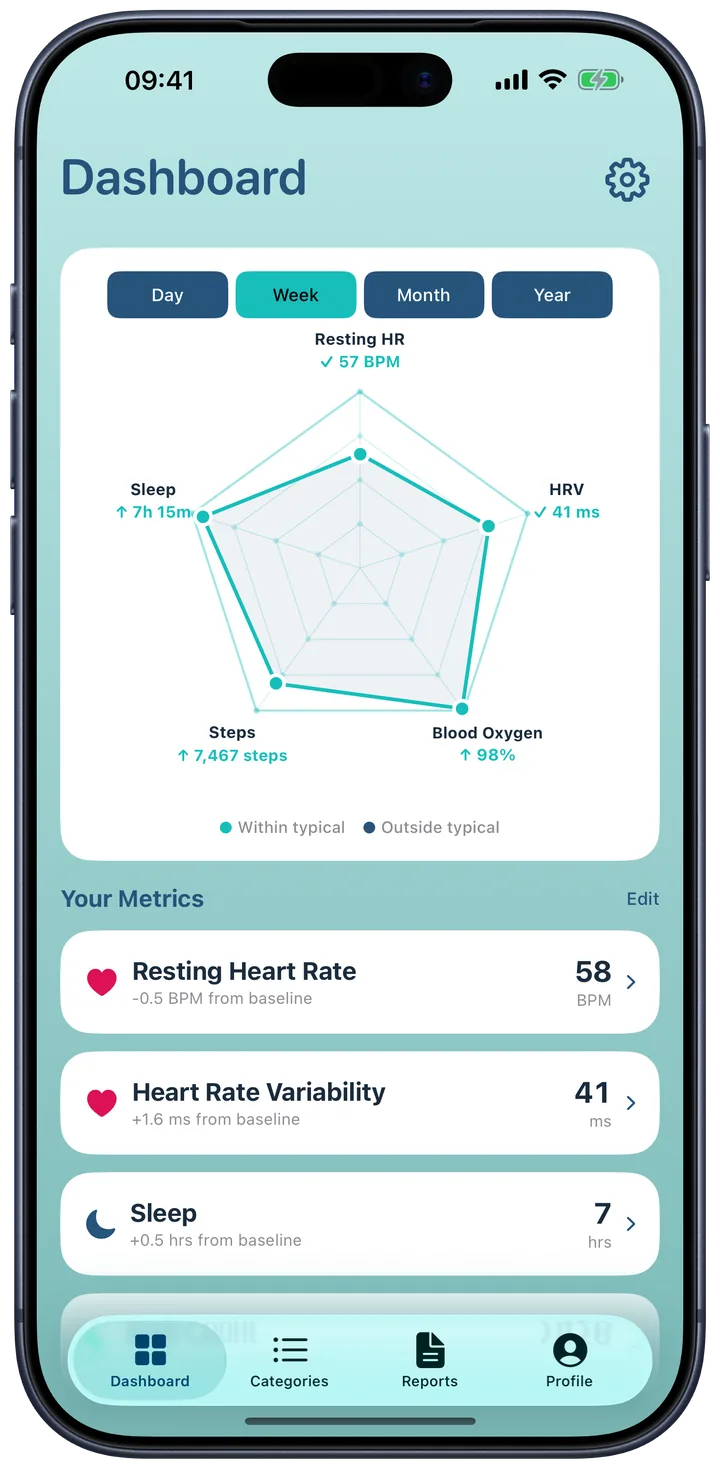
The Dashboard shows a radar with five axes — Cardiac, Metabolic, Respiratory, Activity, Sleep — comparing today's reading to your baseline. Two further categories, Endocrine and Haematology, appear in the Categories tab when their metrics apply to your declared conditions.
One glance, five dimensions. The polygon connects today's values; the outer beams mark your personal 100%. Dots that drift past the tick exceed your norm; dots that fall short ask for a closer look.
A 14-day calibration window precedes your first reading. After that, every measurement is read relative to your own baseline — not a population average.
Traverse is educational. It describes what changed in your readings against your baseline. It does not tell you why, and it does not pretend to be a clinician.
Animations have Reduce Motion alternatives. Text scales from xSmall through Accessibility 5. Every label is voiced for VoiceOver. Accessibility is part of the build, not an afterthought.
Traverse groups the metrics Apple Health records into seven categories. Five are always present; Endocrine and Haematology appear when your declared conditions bring them into range.
Traverse keeps your raw health data on your device — your raw readings never leave it, and no analytics SDK touches them. To write your report, only non-identifiable summaries are sent to our AI provider (Anthropic). The full detail is in our Privacy Policy.
Traverse is designed against Apple's accessibility guidelines. Dynamic Type, Reduce Motion, VoiceOver, High Contrast, and OLED true-black mode are all supported. The accessibility surface is part of the build, not added later.
Traverse is an educational tool that helps you understand the data Apple Health already collects about you. It does not diagnose, treat, cure, or prevent any disease. It is not a substitute for professional medical advice. If you are concerned about a reading, speak to a clinician.
Traverse is free to use. The Intelligence subscription — daily reports calibrated to your declared conditions — starts with a 7-day free trial.
Shown in your region's currency · 7-day free trial on Intelligence.
Traverse is built at Adfinium. We answer every email.
For anything app-related — onboarding questions, billing, a reading you'd like a second look at.
support@adfinium.co.uk →Data subject requests, deletion, or general privacy questions. We respond within five working days.
contact@adfinium.co.uk →Press kit and brand assets available on request. We don't do paid placements.
contact@adfinium.co.uk →